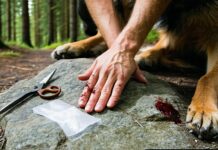
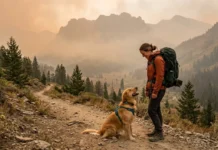
You’re six miles into a remote trail, your phone shows no bars, and your dog suddenly starts stumbling, foaming, or yelping in pain. Your Garmin inReach is clipped to your pack strap — but do you actually know what happens when you press that SOS button for a pet, not a person? Most hikers who buy a satellite communicator never think through this scenario until they’re living it.
- Garmin inReach SOS connects you to IERCC/GEOS, a human-emergency dispatch center — they’ll still coordinate help for a dog, but response and evacuation aren’t guaranteed the way they are for a person.
- Two-way texting lets you message your own vet directly if their number is saved as a contact, but it’s slow (160-character limits) and not a substitute for real-time diagnosis.
- A satellite messenger (inReach) is very different from a PLB (one-way, no chat) and from a satellite phone (voice calls) — for describing a dog’s symptoms, two-way texting beats both.
- Garmin inReach communicators are NOT the same product line as Garmin’s Alpha/Astro dog tracking and training collars — they solve different problems.
- Pre-loading contacts, quick-text templates, and coordinates before your trip is the single biggest thing you can do to speed up help for your dog.
- Evacuating an injured dog from the backcountry is almost always a paid, private service — plan for cost and have a physical carry plan, not just a device.
What Actually Happens When You Press SOS for a Dog Emergency
Every Garmin inReach device routes SOS alerts to the same place: the International Emergency Response Coordination Center (IERCC), operated by GEOS. This is a 24/7 dispatch center built primarily around human life-safety emergencies — heart attacks, falls, lost hikers, avalanche burials. There is no separate “pet SOS” button, and no official policy guarantees a search-and-rescue (SAR) team will mobilize purely because a dog is hurt.
That said, pressing SOS does not get ignored just because you mention your dog. Here’s what typically happens: an IERCC operator opens a two-way chat with you, asks what’s wrong, and works with local emergency services (sheriff’s office, park rangers, or SAR volunteers) to determine an appropriate response. If you’re also injured, unable to self-rescue, or stranded because your dog can’t walk and you can’t carry it out alone, that reframes the situation as a genuine emergency involving a stranded hiker — which absolutely falls under standard SOS protocol.
Human SOS Protocol vs. Pet Emergency Protocol
This distinction matters more than most people realize. If you calmly text “my dog is limping, we’re fine, just slow,” that’s not an SOS-level event — it’s a message to a personal contact. But if you text “dog bitten by rattlesnake, swelling fast, I cannot carry her out alone, we are stuck at this location,” you’ve described a stranded-party emergency, which IERCC is built to handle. The difference isn’t really “human vs. pet” — it’s whether your combined situation qualifies as life-threatening or leaves you unable to self-evacuate.
| Scenario | Best Action | Why |
|---|---|---|
| Dog is critically injured, you cannot move it, no cell signal, hours from trailhead | Press SOS | You are effectively stranded with a medical crisis — this is exactly what SOS exists for |
| Dog has a minor limp, you can still hike out slowly | Message a personal contact or your vet | Not life-threatening; you don’t need dispatch resources |
| Dog collapsed from heatstroke, unresponsive | Press SOS | Life-threatening condition requiring urgent expert guidance and possible extraction |
| Dog ate an unknown plant, seems fine so far | Text ASPCA Poison Control contact + monitor | Get guidance first; escalate to SOS only if symptoms turn severe |
Satellite Messenger vs. PLB vs. Satellite Phone: What Actually Helps With a Dog Emergency
These three devices get lumped together constantly, but they work very differently — and that difference is critical when you need to explain a dog’s symptoms accurately.
- Personal Locator Beacon (PLB): One-way only. You press the button, it broadcasts your GPS coordinates and a distress signal to search-and-rescue via the SARSAT system. You cannot describe what’s wrong, cannot say “it’s my dog, not me,” and cannot receive confirmation beyond a basic acknowledgment on some models. Responders arrive with zero context.
- Satellite Messenger (Garmin inReach, ZOLEO, SPOT X): Two-way text messaging plus SOS. You can describe symptoms, answer follow-up questions from IERCC, message your vet, and share your exact coordinates. This is the only category of these three devices that lets you have an actual conversation about your dog’s condition.
- Satellite Phone (Iridium, Inmarsat handsets): Real-time voice calls anywhere with sky visibility. If you can get a vet on the phone, you can describe symptoms far faster and more precisely than typing. The tradeoffs are bulk, weight, cost per minute, and the fact that most hikers don’t carry one.
For most backpackers hiking with dogs, a satellite messenger is the sweet spot: lighter and cheaper than a satellite phone, but far more useful than a PLB when you need to explain that your dog — not you — needs help.
Can You Text a Vet Directly Through inReach?
Yes, technically — if your vet’s cell number is saved as a contact in your inReach account (through the Garmin Explore app or web portal), you can send them a text message the same way you’d text a friend. Your vet receives it as a normal SMS or email-to-text and can reply, and their reply routes back to your device.
But there are real limitations. Messages are capped around 160 characters per segment on the device itself (longer messages sent via the paired smartphone app get broken into multiple linked texts, which can arrive out of order or with a delay of a few minutes depending on satellite visibility). Your vet also has to be awake, near their phone, and willing to interpret a written description with no photos, no vitals, and no physical exam. It’s genuinely useful for basic triage guidance — but it is not equivalent to a phone call or an in-person visit, and it works best when the vet already knows you’re on a trip and might text.
Is There a Wilderness-Specific Vet Telehealth Option?
Dedicated wilderness veterinary telehealth services reachable directly over satellite text are still limited and inconsistent compared to human wilderness medicine hotlines. Some general veterinary telehealth platforms exist for connecting with an on-call vet by phone or video, but most require a working data or cell connection, which defeats the purpose off-grid. The most reliable plan right now is simply pre-loading your own vet’s cell number (confirmed they’re willing to receive emergency texts) plus the ASPCA Animal Poison Control number as saved contacts before you ever lose signal.
SOS vs. Regular Check-In Message: How to Decide
This is one of the most common points of confusion, and getting it wrong either wastes emergency resources or delays help you actually need.
| Use SOS When… | Use a Regular Message When… |
|---|---|
| Your dog’s condition is life-threatening (unresponsive, uncontrolled bleeding, suspected venomous bite, heatstroke collapse) | Injury is painful but stable (sprain, minor cut, sore paw) |
| You physically cannot evacuate without help (too heavy to carry, terrain too rugged, you’re also injured) | You can still self-evacuate slowly, just want guidance |
| Time is critical and you need coordinated professional response now | You want to update your emergency contact or ask your vet a triage question |
What to Say in an SOS Chat When It’s Your Dog, Not You
IERCC operators are trained to ask clarifying questions, but you’ll get faster, better help if you lead with clear, structured information. A useful mental template:
- Who’s affected: “My dog, not me. I am uninjured.”
- What happened: “Bitten by a snake on left front leg, approximately 10 minutes ago.”
- Current condition: “Swelling spreading, dog is conscious but can’t bear weight.”
- Your situation: “I cannot carry her alone over this terrain. We are stationary.”
- What you need: “Need guidance and possible extraction assistance.”
Example pre-written quick-text template (save this in your device’s canned messages before you leave): “Dog injured, [symptom], unable to move independently, need vet/ranger meet at waypoint [XX], ETA [time], I am uninjured.” Having this ready means you’re not typing a full sentence character-by-character on a tiny keypad while your hands are shaking.
Will Search and Rescue Actually Evacuate an Injured Dog?
Honestly — it depends, and this is one of the most under-discussed realities in backcountry dog safety. SAR teams’ primary mandate is human life safety. Many SAR volunteers are dog owners themselves and will go out of their way to help, especially if the situation is framed as “hiker and dog stranded together,” but there’s no universal guarantee of a dog-specific rescue mission, and policies vary enormously by jurisdiction, land management agency, and even which specific team responds.
Illustrative scenario: Imagine a hiker whose dog is bitten by a rattlesnake several miles from the trailhead. The hiker presses SOS, explains the situation clearly, and IERCC relays it to the county sheriff’s office. Because the hiker can’t safely carry a 60-pound dog over rocky terrain alone, the situation is treated as a stranded-party call — SAR volunteers hike in, help carry the dog out on an improvised litter, and the hiker drives straight to an emergency vet. In this version, the rescue happens because the hiker was stranded, not purely because the dog was hurt. If the same hiker could self-evacuate slowly on their own, a full SAR mobilization for a dog-only injury would be far less likely.
Some land management agencies and wilderness areas also have explicit rules about dogs (leash requirements, restricted trails, or bans in certain zones), and rescue response can be affected if a dog was somewhere it technically wasn’t permitted to be. Always check local rules before you go — it can matter more than people expect if a rescue situation ever escalates into an official incident report.
Sharing Your Exact Location for a Vet Meet-Up or Ranger Response
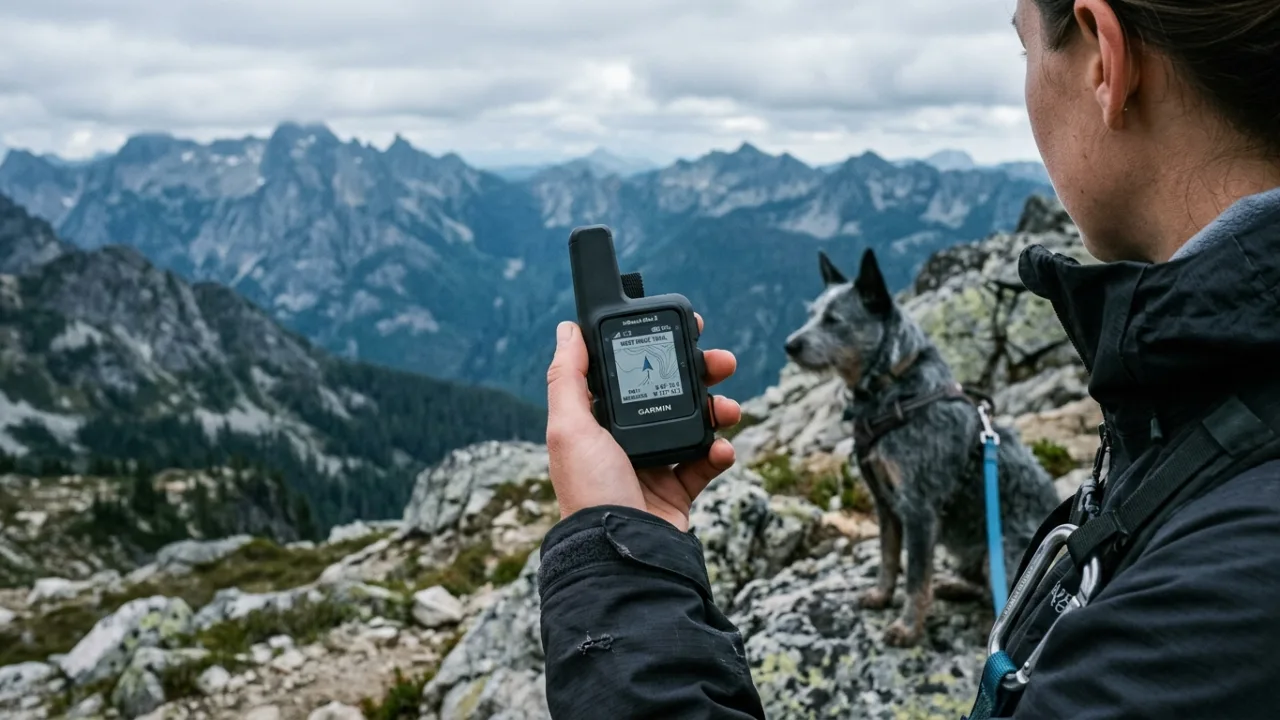
Garmin inReach lets you share a live tracking link (via MapShare) and drop waypoints that show your exact GPS coordinates on a map viewable by anyone with the link — no app required on their end. For a dog medical emergency, this is one of the most underused features:
- Before your trip, send your MapShare link to your emergency contact and, if possible, a nearby vet clinic that’s aware you’re hiking off-grid.
- If your dog needs a meet-up point for transport, drop a waypoint at an accessible trailhead or road crossing and text the coordinates directly — don’t rely only on a verbal trail name, since names vary by map source.
- Coordinates in a simple copy-paste format (decimal degrees) are easiest for a ranger or vet tech to punch into their own GPS or phone quickly.
Garmin inReach vs. Garmin Dog GPS Tracking Collars (Alpha/Astro): Don’t Confuse These
This mix-up trips up a lot of first-time buyers searching for “Garmin” and “dog.” They are completely different product families solving different problems.
| Feature | Garmin inReach | Garmin Alpha / Astro Collar Systems |
|---|---|---|
| Purpose | Human safety communicator: SOS, two-way texting, navigation | Tracks your dog’s location and supports remote training commands |
| Worn by | You (clipped to pack or vest) | Your dog (collar-mounted) |
| Connects to emergency services | Yes, via IERCC/GEOS satellite network | No — it’s a tracking/training tool, not a rescue device |
| Best for | Getting help in a medical emergency, anywhere without cell signal | Finding a dog that has run off from you in dense terrain |
Should you carry both? If your dog is prone to bolting after wildlife or working off-leash in thick brush, a dedicated GPS tracking collar can genuinely save you hours of searching — but it does nothing for a medical emergency once you’ve found your dog. Think of the collar as a “where is my dog” tool and the inReach as your “get us help” tool. They’re complementary, not interchangeable.
Common Backcountry Dog Medical Emergencies and What to Relay
When you’re texting through a satellite device with limited characters and possible delays, precision matters. This table gives you a starting script for the most common off-grid dog emergencies.
| Emergency | Key Symptoms | Immediate First Aid | What to Text |
|---|---|---|---|
| Heatstroke | Heavy panting, drooling, wobbly, collapse, bright red gums | Move to shade, cool water on belly/paws, offer small sips of water | “Heatstroke suspected, cooling now, dog [conscious/unresponsive]” |
| Snake bite | Puncture marks, rapid swelling, limping, drooling | Keep dog calm and still, keep bite area below heart level if possible | “Snake bite [location on body], swelling, need urgent vet” |
| Porcupine quills | Visible quills in muzzle/paws, pawing at face, distress | Do not pull quills without proper technique; muzzle if needed to prevent biting | “Quills in face/mouth, dog stable, need vet for removal” |
| Dehydration | Dry gums, lethargy, sunken eyes, loss of skin elasticity | Offer small frequent water sips, rest in shade, stop exertion | “Dehydration signs, resting, monitoring, will update” |
| Altitude sickness | Lethargy, vomiting, disorientation, rapid breathing at elevation | Descend immediately if possible, rest, monitor breathing | “Suspect altitude sickness, descending to [elevation/location]” |
| Toxic plant/substance ingestion | Vomiting, drooling, tremors, confusion | Try to identify plant, do not induce vomiting unless instructed | “Dog ate unknown [plant/substance], symptoms: [list], need guidance” |
Device Comparison: Which Satellite Communicator Fits Hikers With Dogs
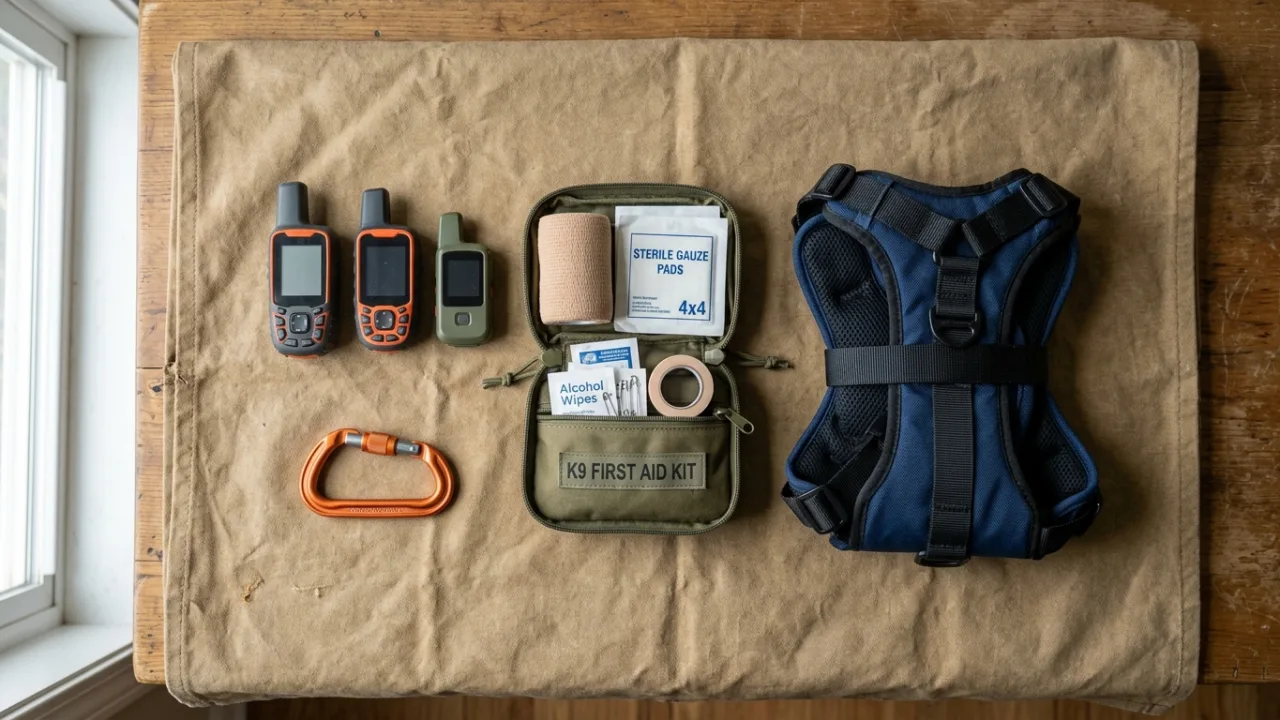
Specs change as manufacturers update models, so always verify current details before buying — but here’s how the major options generally compare for someone who needs to describe a medical situation clearly, not just check in.
| Device | Two-Way Texting | Approx. Weight | Battery Life (typical use) | SOS Network |
|---|---|---|---|---|
| Garmin inReach Mini 2 | Yes (slow on-device keypad, faster via app) | ~3.5 oz | ~14 days tracking mode | IERCC/GEOS |
| Garmin inReach Messenger | Yes, quick-text buttons + app | ~5 oz | ~28 days typical use | IERCC/GEOS |
| Garmin inReach Messenger Plus | Yes, with preloaded maps | ~5 oz | Extended vs. base Messenger | IERCC/GEOS |
| ZOLEO | Yes, app-only typing (no on-device keypad) | ~5.4 oz | Several days active use | IERCC/GEOS |
| SPOT X | Yes, on-device physical keyboard | ~7 oz | ~10 days continuous | GEOS |
| HMD Offgrid | Yes, satellite messaging via smartphone-style device | Varies by model | Varies by model | Third-party network, verify coverage before relying on it |
For fast, detailed two-way texting during a medical situation, devices with a physical keypad (SPOT X) or reliable app pairing (Garmin Messenger line) tend to beat devices optimized primarily for one-way tracking pings.
Subscription Plans: Which One Actually Supports a Medical Emergency
Garmin’s plans are generally tiered from a basic “Safety” plan with limited messages, up through “Recreation” and “Expedition” tiers with progressively higher or unlimited messaging. Plan names, pricing, and inclusions change periodically, so confirm current details directly with Garmin before you buy — but the decision logic stays the same:
- Basic/Safety plans: Fine for occasional check-ins, but a real emergency can burn through your message allowance in minutes once you’re relaying symptoms, coordinates, and coordinating a meet-up.
- Mid-tier/Recreation plans: More generous messaging, better suited to multi-day trips with dogs where you want the freedom to describe a situation in detail without rationing texts.
- Top-tier/Expedition or unlimited messaging plans: Best choice if you frequently hike off-grid with a dog, since an extended SOS conversation plus vet texts plus contact updates can add up fast.
If you only upgrade your plan for trip season, do it before a multi-day dog backcountry trip specifically — not after you’re already relying on a limited allotment mid-emergency.
How Much Does Emergency Evacuation of an Injured Dog Cost?
This is a detail many hikers don’t think about until they need it: while search and rescue for a stranded human is typically provided at no direct charge in most U.S. states, animal evacuation is generally treated as a private service. If a helicopter, off-road vehicle, or private carrying team is used specifically to move an injured dog, expect that cost to fall on the pet owner, and it can range from a modest reimbursement for volunteer mileage to a substantial bill if specialized transport (like a helicopter) is involved. Pet insurance policies vary widely on whether backcountry evacuation is covered — check your policy specifically for “emergency transport” or “evacuation” language before you rely on it.
Physical Evacuation: You Still Need a Plan Beyond the Device
A satellite communicator gets help coordinated — it doesn’t move your dog. Depending on your dog’s size and the terrain, consider carrying:
- A dog-carrying harness or sling with reinforced handles for lifting a dog over short, difficult sections.
- A lightweight tarp or emergency blanket that doubles as an improvised sledge/stretcher, dragged by two people over snow or smooth terrain.
- Trekking poles that can be lashed into a basic stretcher frame with cordage in a pinch.
For dogs over roughly 40-50 pounds, realistically plan on needing at least one other person to help carry them any meaningful distance — this is exactly why messaging a nearby trail partner or your emergency contact to send help can matter as much as the SOS call itself.
Battery, Weight, and Cold-Weather Reliability
Carrying an inReach plus a dog first-aid kit adds real weight to a multi-day pack, so tradeoffs matter:
- Battery life vs. weight: Smaller devices like the inReach Mini 2 save ounces but often mean smaller batteries and slower on-device typing. If message volume during an emergency matters more to you than shaving grams, a slightly heavier device with a better keypad or longer battery life may serve you better.
- Cold weather: Lithium batteries lose capacity in freezing temperatures. Keep your device in an inner jacket pocket rather than an outer pack pocket overnight, and carry a small backup power bank if you’re heading into consistently sub-freezing conditions.
- Dense tree canopy: Satellite communicators need a relatively clear view of the sky to send and receive. Heavy canopy, deep canyons, and steep cliff walls can delay message delivery significantly. If a message fails to send, move to the most open area available (a clearing, ridge, or riverbank) and try again rather than repeatedly retrying from the same blocked spot.
Pre-Trip Setup: The Checklist That Actually Matters
Most of the value of an inReach during a dog emergency comes from setup you do at home, not decisions you make in the field.
- ☐ Device fully charged, backup battery pack packed
- ☐ Emergency contact saved and personally told you’re hiking with a dog (so they know to search for nearby vets if contacted)
- ☐ Your regular vet’s phone number saved as a device contact, confirmed they’re willing to receive emergency texts
- ☐ ASPCA Animal Poison Control number saved as a contact
- ☐ Quick-text/preset messages written for common scenarios (snake bite, heatstroke, need extraction)
- ☐ MapShare tracking link sent to your emergency contact before departure
- ☐ Waypoints saved for trailheads, road crossings, and any known ranger stations along your route
- ☐ Device tested with a real check-in message before you leave home, not for the first time in the field
- ☐ Device carried somewhere accessible — hip belt pocket or chest strap, never buried at the bottom of your pack
Off-Grid Dog First-Aid Kit: What to Pair With Your Communicator
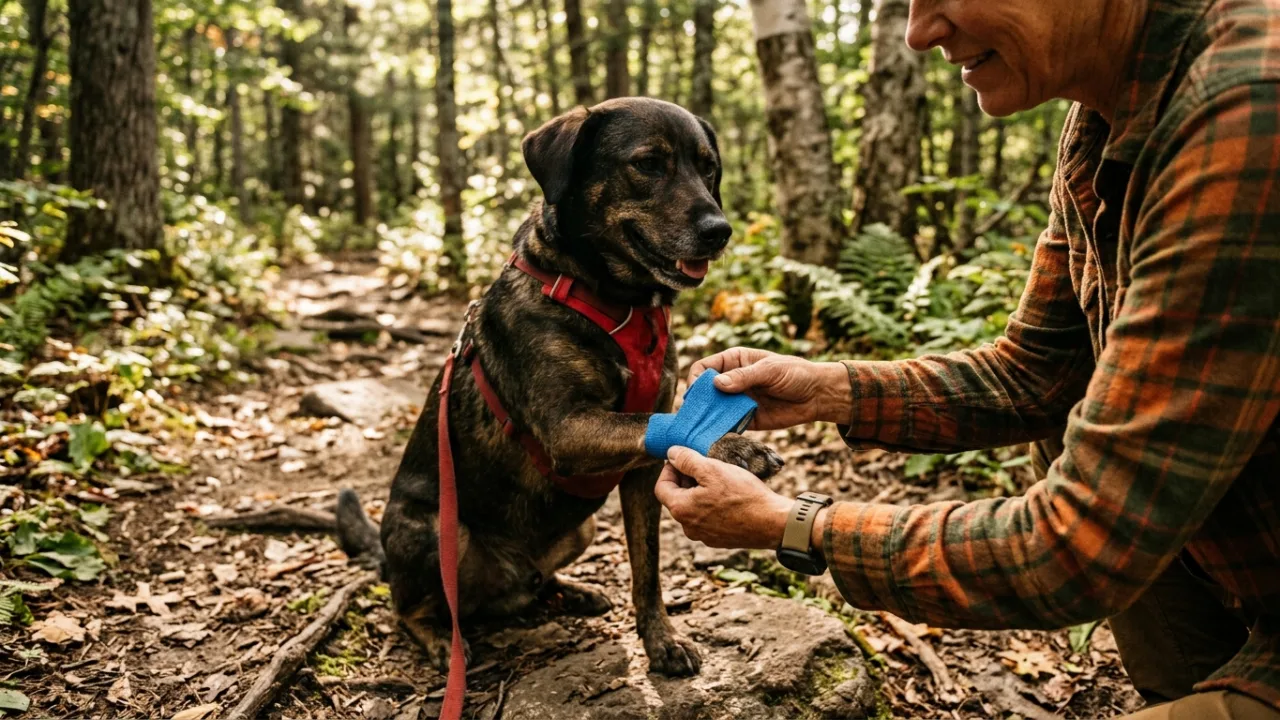
- Vet-approved wound cleaning solution and non-stick gauze
- Self-adhesive vet wrap (doesn’t stick to fur)
- Tick remover tool
- Digital thermometer (rectal, dog-specific)
- Muzzle or soft strip of cloth (even calm dogs can bite when in pain)
- Any anti-inflammatory or pain medication pre-approved by your vet, with correct dosage written down
- Tweezers for quill or splinter removal
- Compact carrying sling or harness with lift handles
- Extra water and a collapsible bowl
- Copy of your dog’s medical history and current medications
Weight and Size Tradeoffs
| Item | Approx. Weight | Carry Location |
|---|---|---|
| Satellite communicator | 3.5-7 oz | Hip belt or chest strap |
| Compact dog first-aid kit | 8-14 oz | Top pack lid, easy access |
| Carrying sling/harness | 4-10 oz | Outer pack strap, quick deploy |
| Backup battery pack | 3-6 oz | Inner pocket, insulated from cold |
Example: A Hiker’s Real-World Multi-Day Dog Trip Kit
One useful way to picture all this together is through an illustrative packing list a seasoned dog-hiker might build after learning these lessons the hard way: a Garmin inReach Messenger clipped to a chest strap, quick-text presets already saved for snake bite, heatstroke, and “need extraction,” a compact first-aid roll with vet wrap and a thermometer, a lightweight sling harness rolled at the bottom of the pack, the dog’s vet number and ASPCA Poison Control saved as device contacts, and a text sent to a home contact before departure confirming: “Hiking with my dog through [date range], if you hear from me about her, please have a nearby vet’s number ready.”
Post-SOS Checklist: What to Do After You’ve Triggered Help
- Stay in place unless moving to better shelter or sky visibility is necessary
- Keep responding to IERCC’s follow-up questions as clearly and briefly as possible
- Monitor your dog’s vital signs and note changes with timestamps if you can
- Conserve device battery — avoid unnecessary messages, use airplane mode on any paired phone if it’s not helping
- Prepare a visible signal (bright clothing, reflective gear) if aircraft extraction becomes likely
- Keep your dog warm, calm, and as still as safely possible while you wait
Troubleshooting Common Problems
Message won’t send due to tree cover or poor sky view
Move to the most open space available — a ridgeline, clearing, or streambed — and retry. Avoid standing directly under thick canopy or against cliff walls when sending critical updates.
Worried about accidentally triggering SOS while handling gear
Most Garmin inReach devices require holding the SOS button for several seconds and often have a protective cover — familiarize yourself with this mechanism before your trip so you don’t second-guess it under stress, and don’t disable safety covers to “make it faster.”
No acknowledgment from IERCC within the expected timeframe
Send a follow-up message restating your GPS coordinates and situation. Poor sky view is the most common cause of delay — reposition if you can do so safely, and keep the device on.
Conserving battery during an extended wait
Switch to power-save tracking intervals, avoid unnecessary check-in pings, and keep the device warm in cold conditions since cold dramatically reduces battery performance.
App won’t pair with your phone when you need to type a longer message
Test this pairing at home before every trip, not in the field. If pairing fails during an emergency, fall back to the device’s on-board keypad or preset quick-text messages rather than losing time troubleshooting Bluetooth.
Buying Advice: Matching the Device to Hiking With a Dog
- Prioritize two-way texting quality over pure tracking features — a device with a usable keypad or reliable app pairing will serve you better than one optimized mainly for passive location pings.
- Weigh battery life against pack weight honestly — if you’re also carrying a first-aid kit and extra water for your dog, a slightly heavier device with longer battery life may be worth the tradeoff over the lightest possible option.
- Choose your subscription plan based on likely message volume, not just cost — an emergency conversation with IERCC plus a vet text plus contact updates can use up a limited plan fast.
- Consider a separate dog GPS tracking collar only if your dog is genuinely prone to running off in dense terrain — it solves a different problem than your inReach and isn’t a substitute for it.
- Check water resistance ratings if you’re likely to be treating a wound, crossing creeks, or caught in bad weather — a device that can survive being splashed or briefly submerged is worth the small price difference.
Common Mistakes Hikers Make With Satellite Communicators and Dogs
- Assuming SOS guarantees a full SAR response for a pet-only injury without also communicating clearly that they’re stranded
- Never testing quick-text presets or app pairing until they’re actually needed in a crisis
- Burying the device at the bottom of the pack instead of somewhere immediately accessible
- Not telling emergency contacts ahead of time that a dog is along on the trip
- Carrying a satellite communicator but no physical way to carry an injured dog if evacuation on foot is needed
- Confusing a dog GPS tracking collar with a satellite emergency communicator and assuming one replaces the other
- Letting the device battery run low without a backup power source on multi-day trips
Expert Perspective
Wilderness veterinary professionals who advise on remote animal care generally emphasize that a written symptom description, however detailed, is never a substitute for a hands-on exam — but a clear, structured text (what happened, when, current condition, vital signs if known) dramatically improves the quality of any guidance they can offer over a satellite connection. Search and rescue volunteers commonly note that framing a report as “hiker and dog stranded together” rather than “dog injured” tends to trigger a faster, clearer response, since it aligns the situation with SAR’s core human-safety mandate while still getting your dog the help it needs.
The Bottom Line
A Garmin inReach (or comparable satellite messenger) is genuinely one of the most valuable pieces of gear you can carry when hiking off-grid with a dog — but only if you understand its real limitations. It won’t automatically dispatch a vet, it won’t guarantee a dedicated animal rescue mission, and it can’t replace a hands-on exam. What it can do is get you talking to trained responders, relay your exact location, and connect you to your own vet or poison control when minutes matter. Pair it with a proper dog first-aid kit, a physical evacuation plan, and setup you’ve actually tested before you leave the trailhead, and you’ve covered the gap that most hikers never think about until they’re standing in the middle of it.
If you’re heading into the backcountry with your dog this season, take twenty minutes tonight to load your vet’s number, the ASPCA Poison Control contact, and a couple of quick-text templates into your device. It’s the cheapest insurance policy you’ll ever set up, and it might be the difference between a scary afternoon and a genuine tragedy.
Frequently Asked Questions
Will Garmin's SOS response team send a vet or arrange animal evacuation?
Not automatically. IERCC/GEOS dispatchers coordinate with local emergency services based on the situation you describe. If you frame it as a stranded-party emergency (you can't self-evacuate with an injured dog), a response involving SAR or local authorities is more likely, but a dedicated vet or animal ambulance is not a guaranteed part of the standard protocol.
Can I use my inReach subscription plan to text a veterinary hotline for free, or does it count against my message limit?
Messages to any contact, including a vet's phone number, count against your plan's message allowance just like any other text, unless you're on an unlimited messaging tier. Confirm your specific plan's inclusions with Garmin, since tiers and allowances change periodically.
What's the best satellite communicator for someone hiking specifically with a dog?
Look for strong two-way texting capability (a real keypad or reliable app pairing), solid battery life, and water resistance, since you may need to type detailed symptom descriptions and the device could get wet while treating a wound. The Garmin inReach Messenger line and SPOT X are commonly favored for their texting usability.
Do I need a dog-specific GPS tracker in addition to my inReach?
Only if your dog is prone to running off or working off-leash in dense terrain. A dog GPS collar (like Garmin's Alpha or Astro line) helps you find a lost dog, but it doesn't connect to emergency services or support two-way texting with responders, so it doesn't replace a satellite communicator for medical emergencies.
What should be in my off-grid dog first-aid kit alongside my satellite communicator?
At minimum: wound cleaning solution, non-stick gauze, self-adhesive vet wrap, a tick remover, a digital thermometer, a muzzle or cloth strip, vet-approved pain relief with dosage notes, and a compact carrying sling. Pair this kit with your inReach so you can treat and communicate at the same time.
Is it legal or ethical to activate SOS for a pet-only emergency?
SOS is designed for life-threatening or stranded-party situations, not routine pet injuries. If your dog's condition is severe and you genuinely cannot self-evacuate, activating SOS is appropriate. For minor injuries you can manage yourself, message a personal contact or vet instead of using SOS.
How do I test my inReach device and quick-text presets before a backcountry trip with my dog?
Before departure, send a real test message to your emergency contact, confirm your phone app pairs correctly, verify your vet's number and the ASPCA Poison Control contact are saved, and review your saved quick-text templates so you're not creating them for the first time during an actual emergency.
Does cold weather or dense tree canopy affect inReach reliability during a dog emergency?
Yes. Cold temperatures reduce battery performance, so keep the device insulated when not in use. Dense canopy, steep canyons, or cliff walls can block the clear sky view the device needs to send and receive messages, causing delays — move to an open area like a clearing or ridge if a message fails to send.
How much does emergency evacuation of an injured dog from the backcountry typically cost?
Unlike human search and rescue, which is often provided at no direct charge in many U.S. states, evacuating an injured dog is generally treated as a private service. Costs vary widely depending on transport method, from modest volunteer reimbursement to a significant bill if specialized transport like a helicopter is used, so check your pet insurance policy for evacuation coverage.